Can You Put Comments in JSON? Why RFC 8259 Forbids Them (and How to Use JSONC)
Every developer has tried adding a comment to a config.json file:
{
  // Port configuration
  "port": 8080
}
Only to be greeted with a fatal parsing error:
SyntaxError: Unexpected token / in JSON at position ...
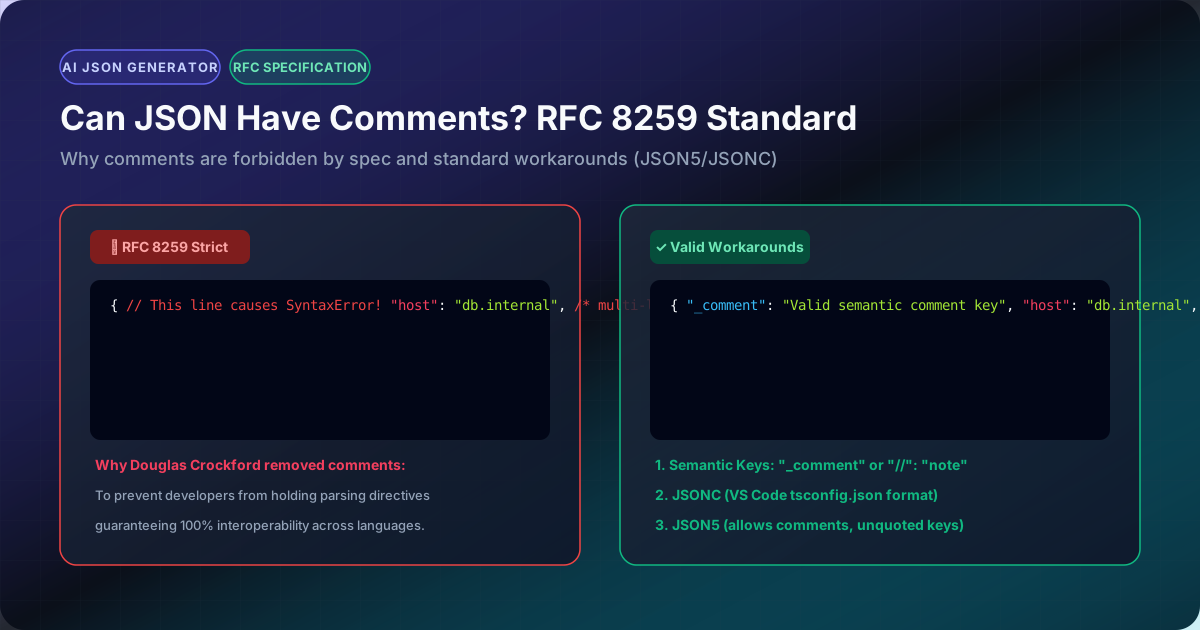
According to RFC 8259 (and its predecessor RFC 7159), comments are strictly forbidden in standard JSON.
1. Why Did Douglas Crockford Remove Comments from JSON?
When Douglas Crockford first formalized JSON in 2001, comments were originally allowed. However, he deliberately removed comments from the specification in early revisions.
His rationale was design purity:
"I removed comments from JSON because I saw people were using them to hold parsing directives, a practice which would have destroyed interoperability." — Douglas Crockford
If comments were allowed, different vendors would inject proprietary parsing annotations (e.g. // @type: DateTime), causing a payload parsed by Vendor A to fail or behave differently when received by Vendor B.
By stripping comments completely, JSON remained a pure, universal data exchange format that functions identically across Python, C++, Go, Java, and JavaScript.
2. Compliant Workarounds for Comments in 2026
If you need comments in your configuration files, here are the three standard solutions:
Solution 1: Use JSONC (JSON with Comments)
Modern developer tooling—including VS Code (tsconfig.json, settings.json) and ESLint—uses JSONC. JSONC allows both single-line // and multi-line /* */ comments.
When deploying to production or sending to a standard REST API, use our JSONC to JSON Converter to strip comments into strict JSON.
Solution 2: Use JSON5 (The Relaxed Standard)
JSON5 extends JSON syntax to match ECMAScript 5.5, supporting comments, trailing commas, single quotes, and hex numbers. Convert seamlessly using our JSON5 to JSON Converter.
Solution 3: The Native "$comment" Schema Property
If your application uses JSON Schema, Draft 7 introduced the official "$comment" keyword intended strictly for developer notes:
{
  "$schema": "http://json-schema.org/draft-07/schema#",
  "$comment": "This file specifies the production deployment credentials",
  "port": 8080
}
Because "$comment" is a standard string property, it is 100% valid in every JSON parser on the web.