JSON Square Brackets vs Curly Braces: Arrays vs Objects Explained
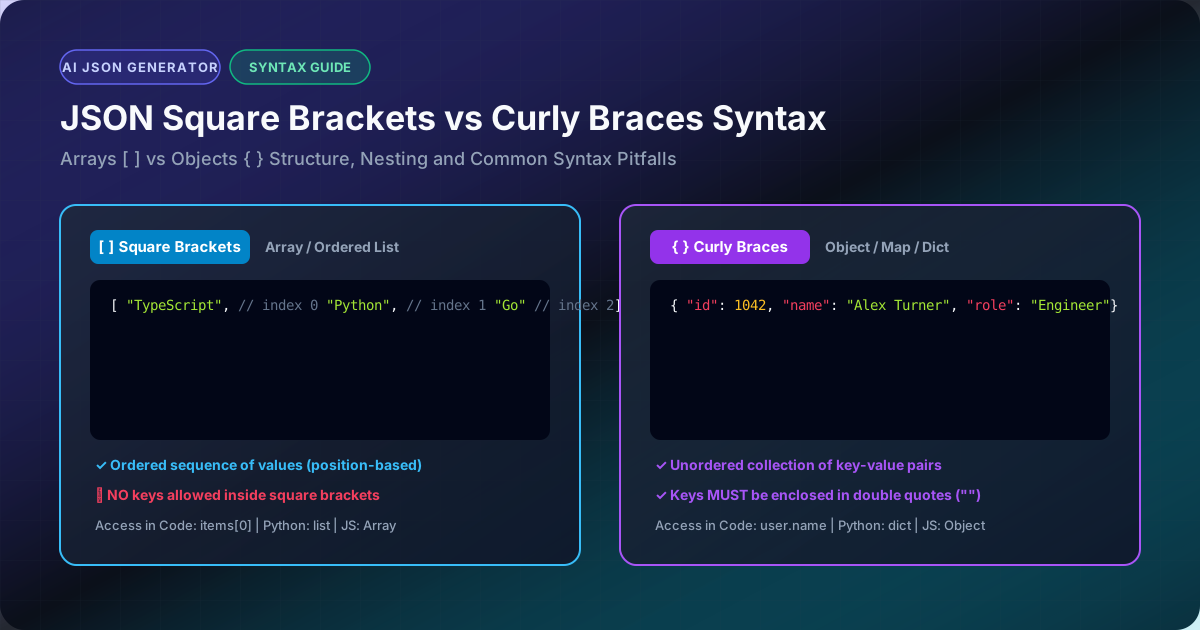
In JSON (RFC 8259), brackets define the core structural containers of your data. The two most fundamental punctuation marks in the JSON grammar are:
- Square Brackets
[and]: Define an Array (an ordered sequence of zero or more values). - Curly Braces
{and}: Define an Object (an unordered collection of key-value pairs).
Understanding exactly when to use each, how to nest them, and how programming languages like JavaScript and Python parse them is essential for building bug-free APIs.
1. Quick Syntax Comparison
| Feature | Square Brackets [ ] |
Curly Braces { } |
|---|---|---|
| JSON Data Type | Array (List) | Object (Dictionary / Map) |
| Element Structure | Ordered values separated by commas: [1, 2, 3] |
Key-value pairs: {"key": "value"} |
| Keys Required? | ❌ No keys allowed | ✅ Mandatory string keys with double quotes |
| Access Pattern | By numerical index (e.g., items[0]) |
By string key property (e.g., user["name"]) |
| Ordering | Order is preserved strictly | Key order is not guaranteed by RFC 8259 |
| Python Equivalent | list |
dict |
| JavaScript Equivalent | Array |
Object |
2. When to Use Square Brackets (Arrays)
Use square brackets when representing an ordered list of identical or related items where each item is identified by its position rather than a unique name:
[
  "TypeScript",
  "Python",
  "Go",
  "Rust"
]
Arrays can hold any valid JSON primitive (strings, numbers, booleans, null), or even other objects and nested arrays:
[
  { "id": 1, "username": "alex" },
  { "id": 2, "username": "sarah" }
]
The 3 Golden Rules of JSON Arrays:
- Values only, no keys: Writing
["name": "Alex"]is a fatal syntax error. If you have keys, you must wrap them in curly braces:[{"name": "Alex"}]. - No trailing commas:
["apple", "banana",]is invalid in RFC 8259. The trailing comma after"banana"will fail inJSON.parse(). - Square brackets can be the root element: A JSON payload does not have to start with
{. Top-level arrays like[1, 2, 3]are 100% valid JSON.
3. Nesting Objects Inside Arrays and Vice Versa
Real-world API responses frequently combine both:
{
  "department": "Engineering",
  "activeSprint": true,
  "teamMembers": [
    {
      "name": "Sarah Connor",
      "roles": ["Tech Lead", "Architect"],
      "clearanceLevel": 5
    },
    {
      "name": "Marcus Vance",
      "roles": ["Security Lead"],
      "clearanceLevel": 4
    }
  ]
}
teamMembersuses square brackets because it is a list of multiple employees.- Each employee is wrapped in curly braces because an individual has distinct named attributes (
name,roles,clearanceLevel). rolesinside each employee is wrapped in square brackets because a person can have multiple skills or tags.
Validate and format your nested structures instantly using our JSON Formatter and JSON Validator.